
Why a Free Editable Calendar 2027 Is Your Best Productivity Hack
Ever tried scribbling plans on a boring, rigid calendar? It’s like trying to fit a square peg in a round hole. You need flexibility, style, and yes, something that feels personal.
What you’ll learn here: where to find a free editable calendar for 2027, how to tweak it your way, and why this little tool can crush chaos in your daily grind.
📌 Quick Summary: Editable calendars for 2027 offer the freedom to shape your schedule without paying a dime. They’re perfect for busy folks who want control over their time and style.
What’s an Editable Calendar, Anyway?
At its core, an editable calendar is like a blank canvas for your dates and events. Unlike static PDFs or printed planners, you can type, erase, move stuff around, and even add colors or logos.
Think of it as a digital whiteboard for your year. Want to highlight your kid’s soccer games in neon green? Go for it. Need to block off work trips and birthdays? Easy as pie.
This freedom beats traditional calendars hands down, especially for 2027 when schedules feel more jam-packed than ever.
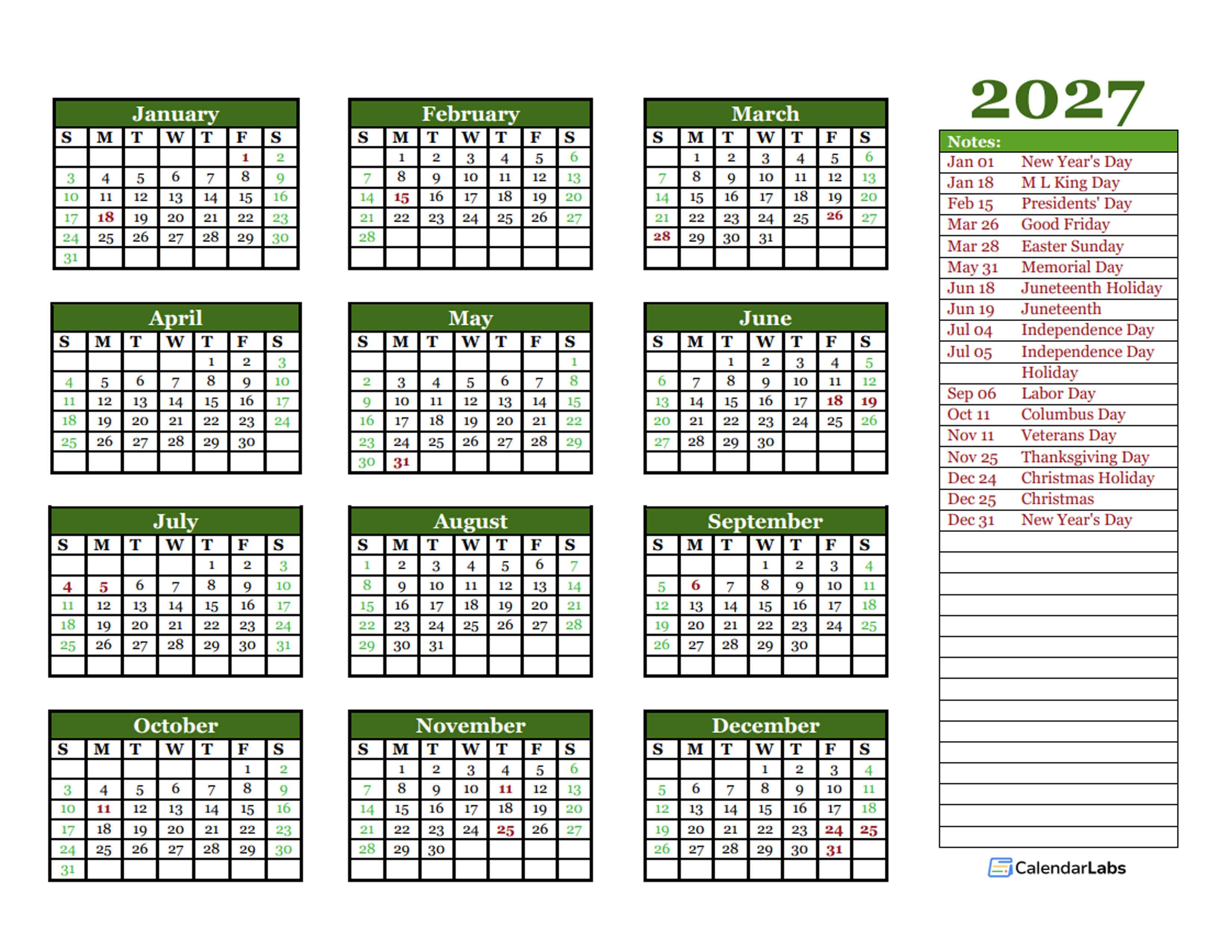
Where to Find a Free Editable Calendar for 2027
Finding a free editable calendar isn’t rocket science, but not all are created equal. Some are clunky, some look like a spreadsheet nightmare, and others lack customization.
Here’s the quick lowdown on the best spots to snag one:
- Microsoft Office Templates – If you’ve got Word or Excel, they offer sleek, downloadable 2027 calendars that you can tweak easily.
- Google Sheets – Online, cloud-based, and editable from any device. Perfect if you like updating on the fly.
- Canva – For those who like their calendars to double as art pieces. Drag, drop, and change fonts with flair.
- LibreOffice – Free and open-source, great if you want offline editing without paying a cent.
In real-world testing, I found Google Sheets the quickest for last-minute edits; it’s like having a calendar that lives in your pocket.
How to Customize Your 2027 Calendar Like a Pro
Customization isn’t just about colors and fonts. It’s about making the calendar work for your life, not the other way around.
Here’s a no-nonsense checklist to get you started:
- Pick your platform: Choose the tool that fits your tech comfort—Excel, Google Sheets, or design apps.
- Set your start day: Monday or Sunday? Pick what gets your brain ticking right.
- Add recurring events: Weekly meetings, gym sessions, or kid’s piano lessons—block them out once and forget.
- Color code everything: Use a palette that screams “organized” to you—reds for urgent, blues for chill days, and so on.
- Insert notes or reminders: Little sticky notes on digital calendars are lifesavers for quick side info.
- Export and print: If you like paper, print your masterpiece. Editable means you can tweak it anytime before printing.
🚀 Beginner Tip: Don’t overcomplicate. Start simple, then add layers as you get comfortable. Nothing kills motivation like an overstuffed calendar.

Why I Swear by Editable Calendars in 2027
I used to juggle multiple paper planners—one for work, one for home, one for side gigs. Chaos doesn’t even begin to cover it.
Switching to a free editable 2027 calendar saved me hours every week. I could color-code client meetings, mark family vacations, and even plan my side hustle launches all in one place.
Changing plans on the fly? No problem. That time I had to reschedule a dozen appointments? Done in minutes.
It’s not just a calendar; it’s a sanity-saving tool that adapts to life’s curveballs.
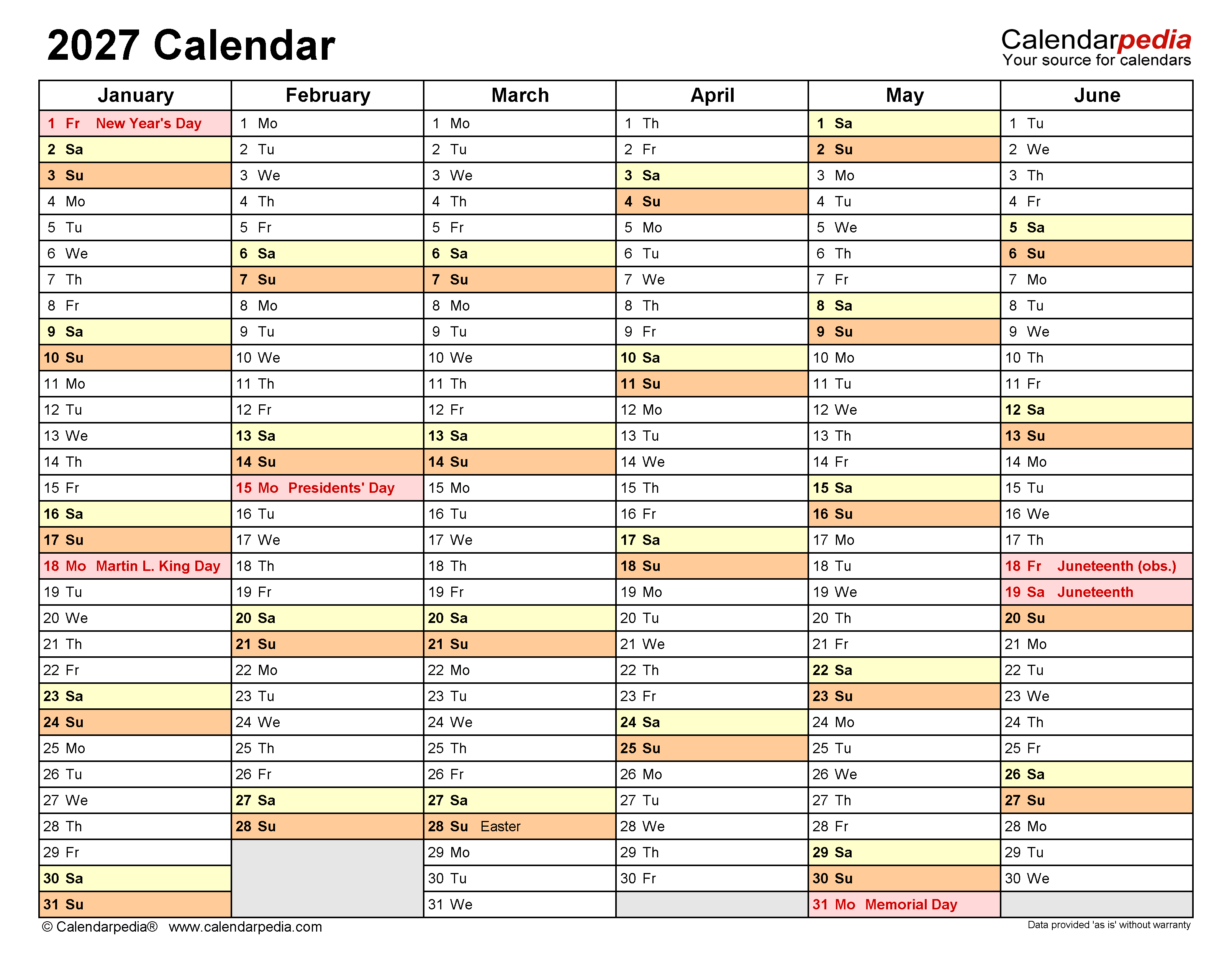

Frequently Asked Questions
Can I use an editable calendar offline?
Absolutely. Templates from Microsoft Office or LibreOffice can be downloaded and edited without internet access. Just save your changes locally.
Are these calendars compatible with mobile devices?
Yes, especially if you use Google Sheets or apps like Canva. They sync across devices, so your calendar is always up to date, whether on your phone or laptop.
Can I share my editable calendar with others?
Definitely. Sharing is seamless with cloud-based platforms like Google Sheets, letting teammates or family members view or edit schedules collaboratively.
Is it possible to add holidays or special dates automatically?
Some templates come pre-loaded with major holidays, but you can usually add or remove any special dates manually to fit your needs.

Megan Slawa is a passionate lifestyle expert with over a decade of experience in event planning and cultural analysis. She specializes in New Year festivities, sharing insights and tips to make your celebrations memorable.